Calling all students! Do you want to learn more about LinkedIn? How does it work? What to do? Well, I’m here to help. LinkedIn is a powerful social media platform to help you search for jobs, build a professional network, and learn more about the industry you’re passionate about (Schinkten, 2018). I’m here to share my knowledge and go through the steps of creating a great LinkedIn profile with you!
Create A LinkedIn Profile
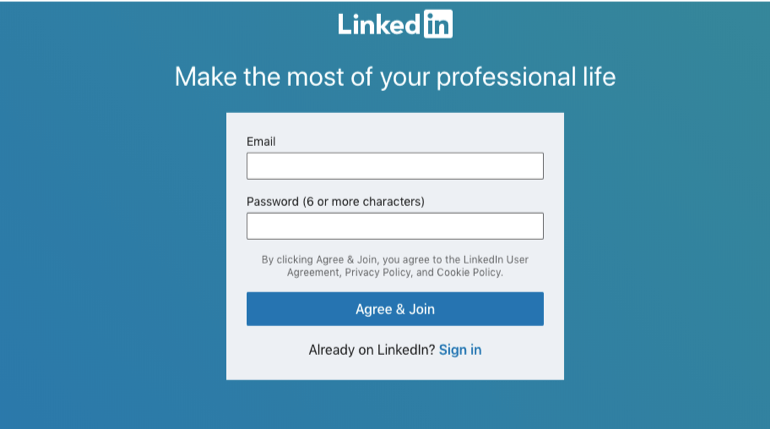
Creating a LinkedIn profile is easy! Follow the simple steps that LinkedIn takes you through, such as entering your email, creating a password, and including your name. Make sure to include that you are a student, which post-secondary school you currently attend, and when you’ll be graduating. Be sure to include any degrees you may have and your field of study. You can also include clubs, sports, or extracurricular activities you may have been a part of! Having a picture is crucial for your LinkedIn profile because it gives others a way to identify you and you are guaranteed far more views than accounts without one (Schinkten, 2018). It’s important you upload a professional image of yourself, so people can see and recognize your face. You can even upload a customized background picture, and this will make your account stand out! Your profile picture and background are one of the first few things people will see on your LinkedIn account. Get creative and be professional!
We all know that first impressions are important. Your LinkedIn account is a digital-first impression of who you are professionally, so let’s make it great! One of the first things people will read on your LinkedIn account is your headline. Create a message describing “who you are and what you want to become” (Schinkten, 2018).
For example:

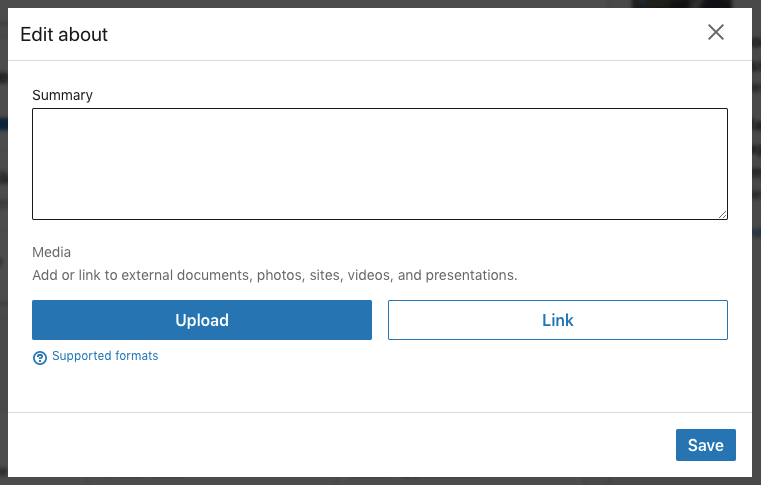
Although headlines are an important aspect of your LinkedIn account, so is your summary. A summary is a great way to share your accomplishments, your mission statement, career goals, personality and why you do what you do (Schinkten, 2018). You have the opportunity to show others your personality and things you are passionate about, so make sure it is attention-grabbing and will resonate with people who view your profile!
Be sure to include keywords that will help make you more visible in search results. Keywords can include your skills and expertise in certain areas allowing people to see more of your abilities.
Expertise and skills can include:
- Social media marketing
- Leadership
- Public Speaking
Others can endorse you for skills you have on your LinkedIn, which is “like asking someone to be a reference for you” (Schinkten, 2018). With LinkedIn, you can also ask someone to recommend you, which is like a digital letter of recommendation! It is more detailed and will be able to give others a sense of who you are. Make sure you only ask people who’ve had the opportunity to work with you and can confidently “speak about the value that you provide” (Schinkten, 2018).
Having a LinkedIn account allows you to enter in work experience and volunteer experience you’ve had. You must list these on your profile, so people get an idea about what you’ve done! The nice thing about LinkedIn is that it will give you a template of everything you need to include, as shown below!
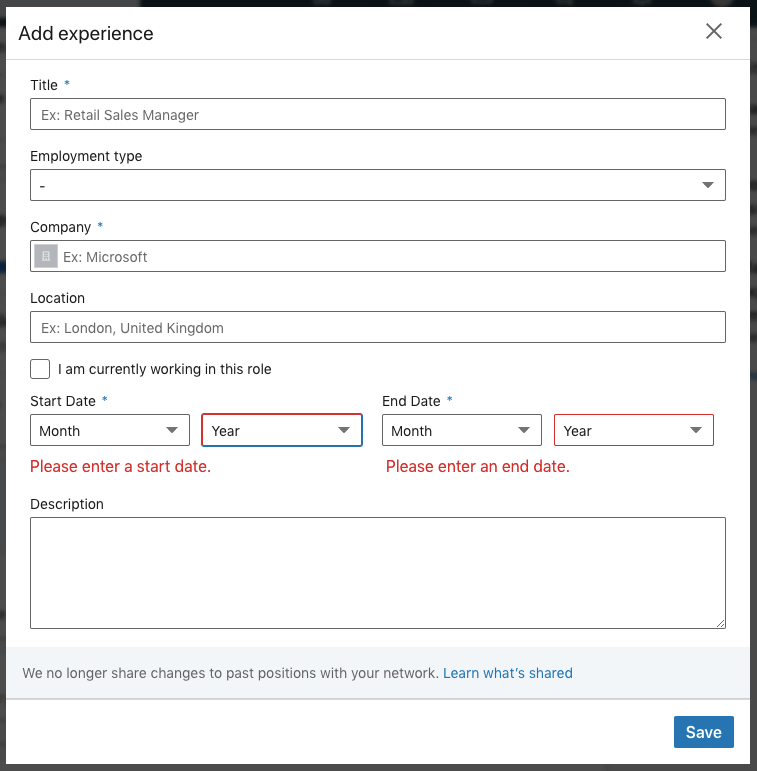
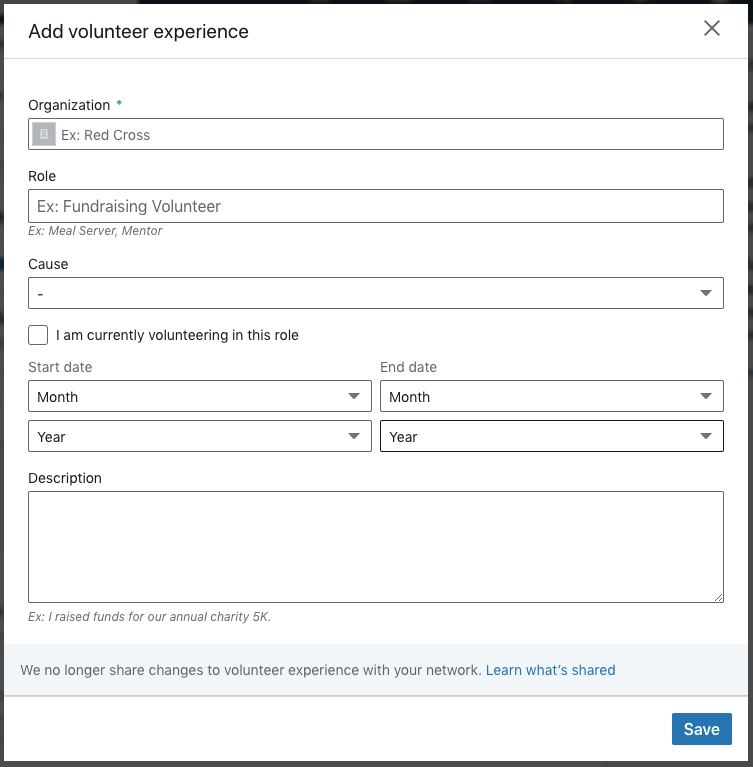
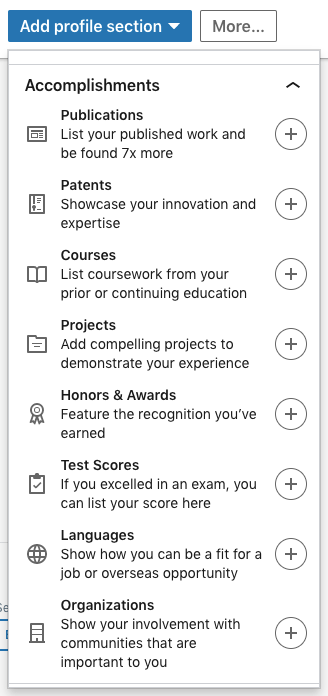
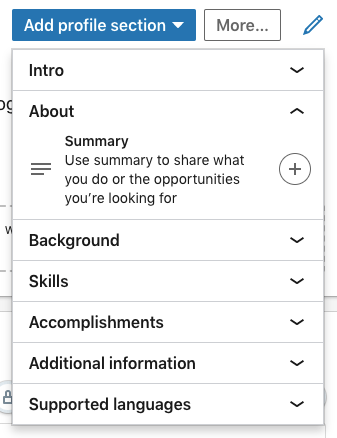
You can also add new sections to your LinkedIn profile, but make sure you choose wisely! You want them to “add value to your profile” (Schinkten, 2018). Here are examples of profile sections you can add to your account; all you have to do is click on the plus sign!
Woohoo! You now have a LinkedIn account, but that’s not all. Let’s take a look at “how to configure our public profile” (Schinkten, 2018). This means that you can edit the visibility of your account to “public” or “private” for people who aren’t members of LinkedIn. For example, if you have an Instagram account, you can change your account to “public” that way everyone can see what you post without having to request a follow, or you can change your account to “private” in which you can accept someone’s “follow request” for them to see what you post. LinkedIn is a little bit more flexible than that; you get to choose what people can and cannot see! If you have a public account, you can hide certain aspects of your profile such as your headline. Viewers without LinkedIn will be able to see your profile, except for the things you’ve hidden until you connect with them. Check out the example I’ve provided down below!
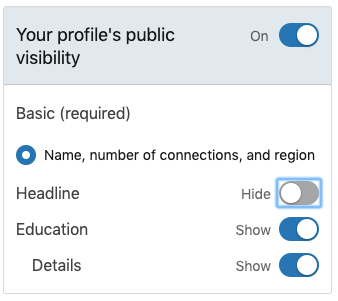
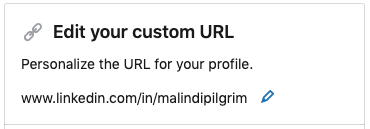
You can also customize your LinkedIn profile URL! This helps make your account easier to share on a business card, resume, or email. I’ll show you an example of my URL and how to change it for your desired outcome. The steps are easy: click the blue edit pencil and type in the URL you want!

Build Your Network
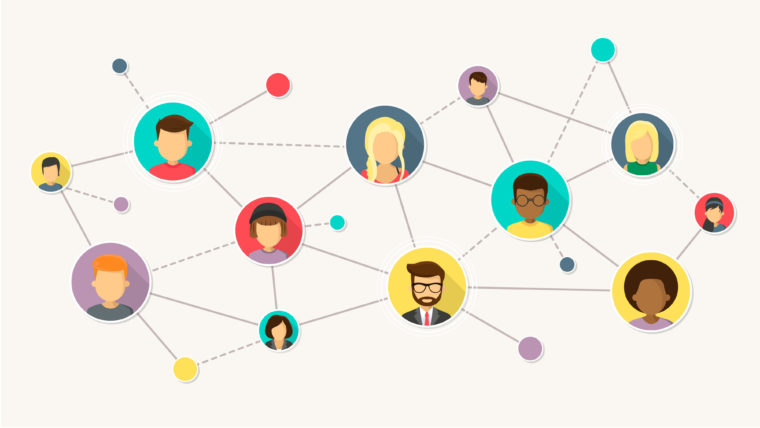
Networking and creating professional relationships with others can benefit you in several ways. You can gain “insight and advice, knowledge and the exchange of ideas, collaboration, access to resources, and job opportunities” (Schinkten, 2018). So, how do you start networking and building professional relationships? You need to be able to help others in the way that they help you, a “win-win relationship” (Schinkten, 2018). Share tips and tricks that you’ve learned, provide feedback and maintain communication with your network.
How do you start networking and connecting with others on LinkedIn? It’s easy! Using the search bar in LinkedIn, type in a specific person you want to connect with. You can connect with them by clicking the blue “connect” button on their profile, and this will send them an invitation. It’s important to add a note to your invitation stating how you know them or why you want to connect with that specific person (Schinkten, 2018). LinkedIn also recommends certain people you may want to connect with based on your profile! You can search for a company you are interested in working for, connect with employees that work for that company, or you can search for people in the industry you want to work in. You can also narrow down your search with filters such as locations, helping you improve your LinkedIn search. Be sure NOT to take advantage of connecting with too many people on LinkedIn, you want to ensure that both parties are benefitting your LinkedIn connection and that you have a “valid reason for connecting” (Schinkten, 2018). Now that you know the basics in building your professional network, get networking and create those win-win relationships!
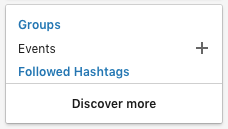
LinkedIn groups are another way to build your professional network! These groups are where “professionals with shared interests can ask questions, share insights, and build meaningful connections” (Schinkten, 2018). When you join a group, group conversations will show up in your newsfeed, where you can take part in them.
Using LinkedIn Day-to-Day
LinkedIn has a news feed that will keep you up to date on recent posts from your connections and because of the algorithm, it can curate content that is beneficial to you (Schinkten, 2018). Use your newsfeed as a resource to learn more about news from your connections and potential opportunities! You can follow companies you’re interested in, different schools, and influencers; their posts and updates will show up in your newsfeed. As a LinkedIn user, you can also share news, updates, and posts to “provide value to your network and help build your personal brand” (Schinkten, 2018). It’s important to stay active on LinkedIn whether it’s sharing a post you find interesting or creating a post yourself; this will help share professional information and knowledge to your network!
LinkedIn offers direct messaging with the connections you have built. They are private, and only you and the person you are talking to can see them. It’s a great way for you to connect and collaborate with the professional network you have built on LinkedIn!
What you do online becomes a part of your “digital footprint,” which is your personal brand (Schinkten, 2018). As our times evolve, so does the digital age, and it’s become important within our society. Be sure to build a positive image of yourself online that will leave a good impression on others. Many employers look at your online presence when it comes to social media platforms you use, so be sure to add value to others and yourself!
Job Search and Company Research
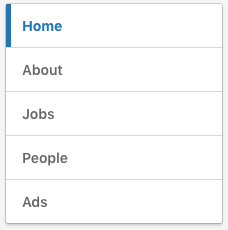
LinkedIn is a powerful platform that can act as a “research tool” (Schinkten, 2018) and help you find potential jobs! One way is to search for companies you’re interested in working for. This will be able to provide you with information on the company, and you can click the “Jobs” tab to view their job postings. Shown below is an example of what it will look like.
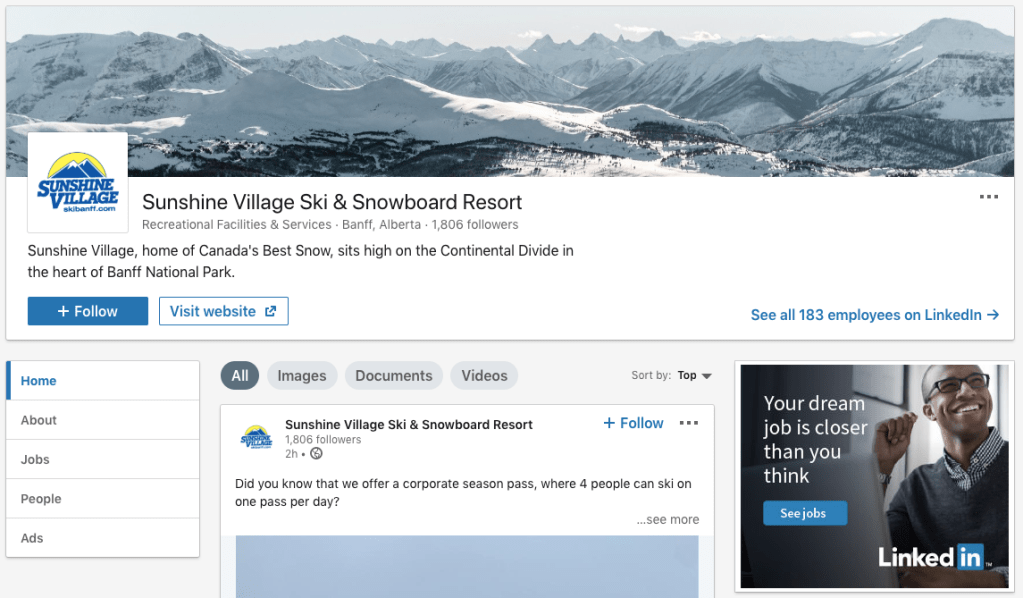
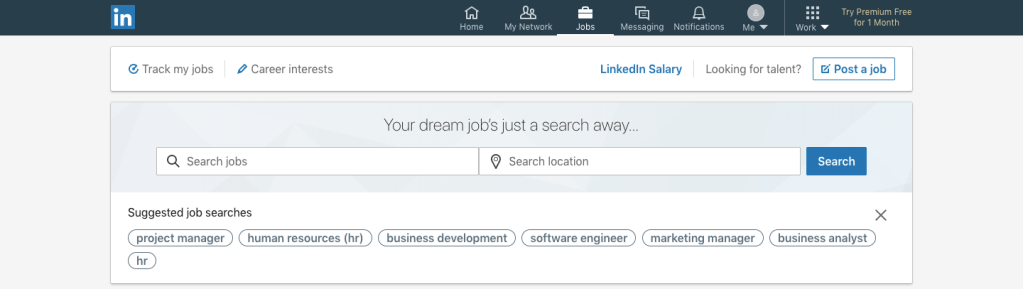
With LinkedIn, you also have to ability to search and apply for jobs! LinkedIn has a great way of recommending jobs for you based on the information you have entered into your profile. You can also search for specific jobs by using the search engine and filters to find what you’re looking for. You can filter locations, full-time or part-time, industry, and more! You can also turn on job alerts to be notified about any jobs you are interested in, keeping you up to date and in the loop of any positions that are open for you!
Manage Your LinkedIn Account
I’ve walked you through how to create a basic LinkedIn account. It’s free and easy to use! LinkedIn offers a premium account that you need to pay for, but it provides many more features that aren’t available if you have a regular account. As a student, I recommend using the basic free account because it is still such a powerful platform that can offer you many professional opportunities! You can click here to see the difference between a basic LinkedIn account and a premium account. You do have the ability to try a premium account for free to see if it’s for you!
With a LinkedIn account, you must explore your privacy and account settings. This will help you understand what information you’re sharing to the public and ways you can manage it. For example, you can change your account to anonymous or allow others to see who you are if you view someone else’s profile.
Conclusion
I have now taught you how to use LinkedIn! Here are some screenshots of my LinkedIn before and after implementing these tips and tricks.
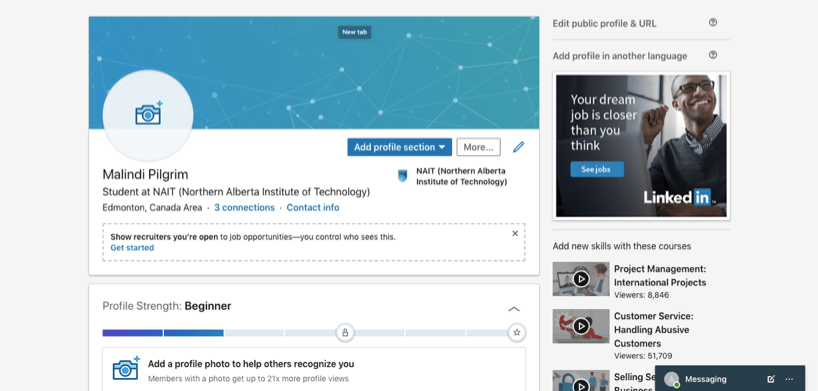
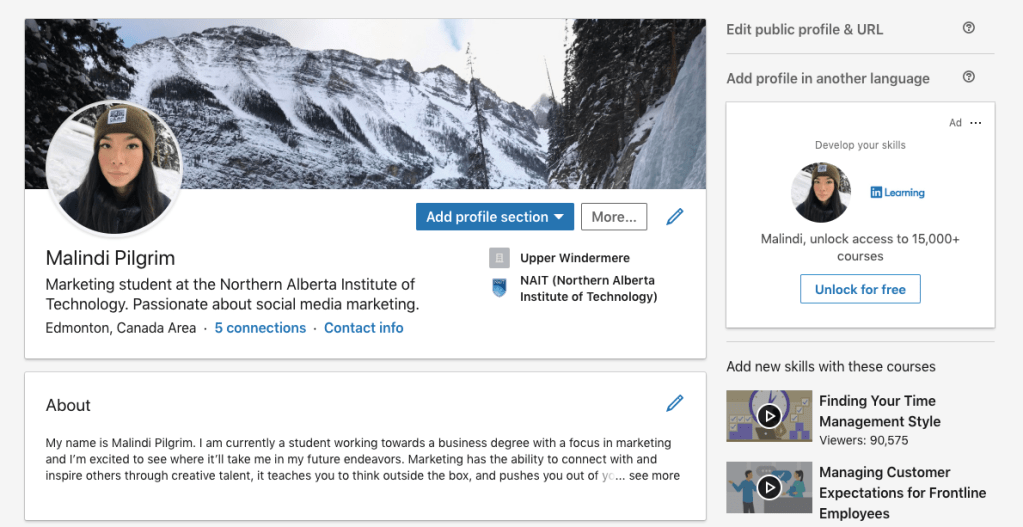
As you can see, I’ve added a profile picture and a background. This allows people to recognize my face and can get a sense of who I am. I’ve added a summary, which is the first thing they’ll read about me! I also included my work experience. I’m still in the process of building my LinkedIn account, but simple changes like this can build your online presence! Email me your before and after pictures, I’d love to see how you’ve built your LinkedIn profile. I hope you were able to learn more about LinkedIn and how to use it. I’d love to connect with you and build a professional relationship, so don’t hesitate to send me a request!
 Malindi Pilgrim