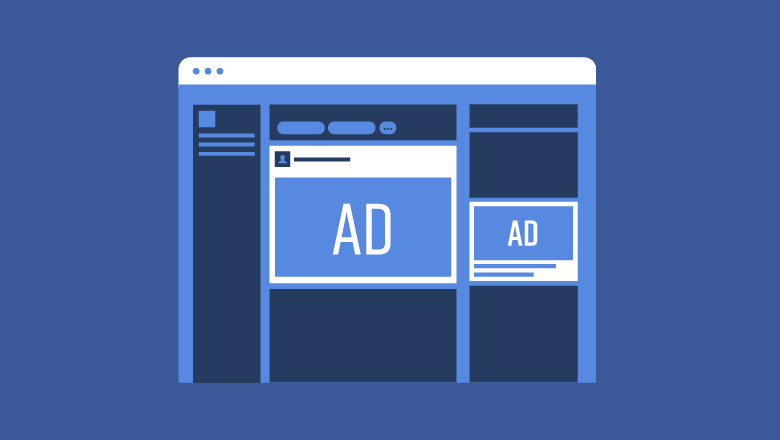
Facebook Advertising Overview
Social media is a powerful platform for businesses to connect with people. Advertising on Facebook is a great way to showcase your business or brand in front of your target audience. They are easy to create and are suitable for all types of budgets.
There are four simple steps to take before you create your ad:
- Establish your goal.
- Choose who you want to target.
- Set a budget.
- Decide how you want to pay for those ads.
Before we dive right into Facebook advertising, it’s important to know that there will be trial and error. Don’t be afraid to try new things, get creative, and have fun with it!
How Facebook Ads Work
How do Facebook ads work? Facebook ads can show up on a newsfeed, in-stream videos, and instant articles. Facebook organizes advertisements into 3 levels:
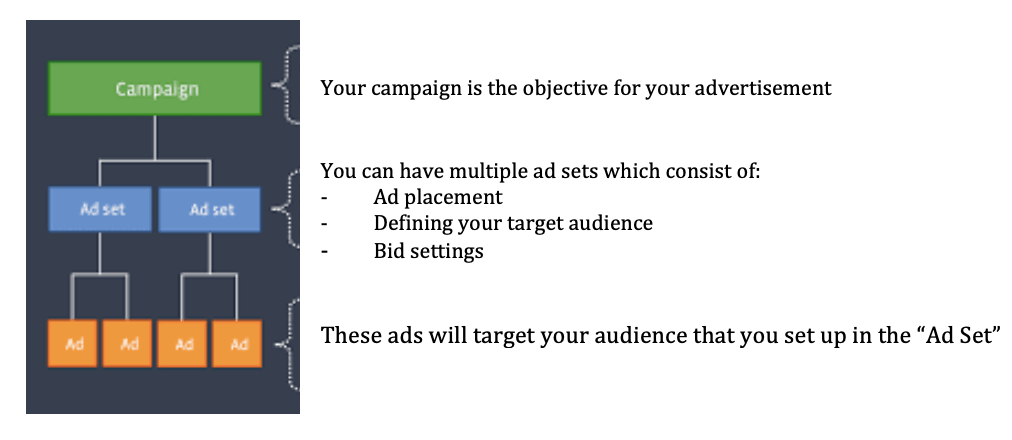
It is crucial to establish a goal you want for the advertisements you choose to run; this is your first step. Objectives determine what you want people to do when they see your ad. Facebook breaks these objectives into different categories:
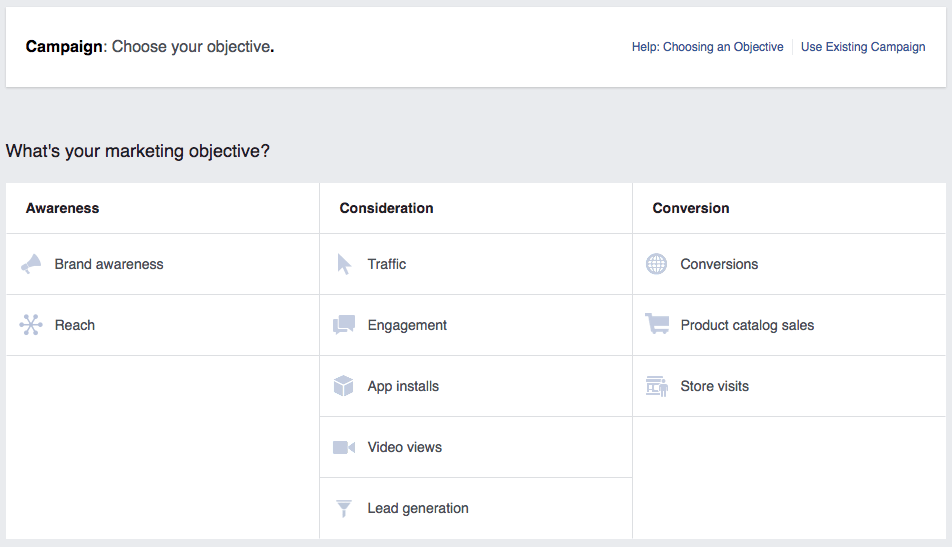
- Awareness: create interest in your business and the products and services you offer
- Consideration: get people to start considering your business and look for information on it
- Conversion: persuade people interested in your business to purchase or use your product/service
How to Create Facebook Ads
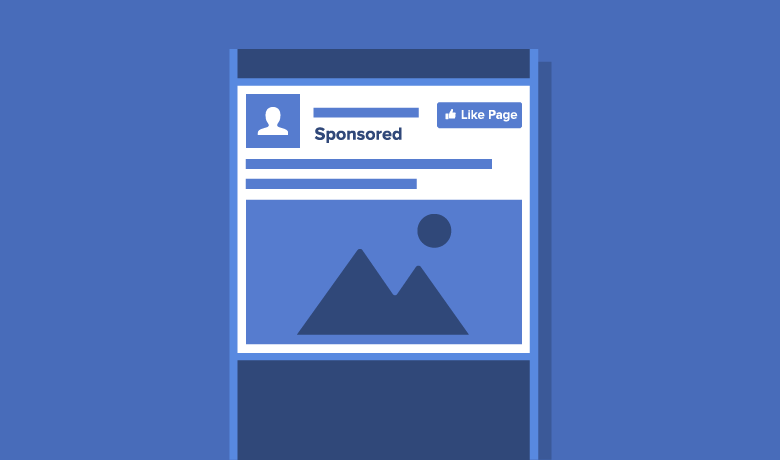
Creating Facebook advertisements are easy! Let’s walk through the steps. As I mentioned earlier, you need to determine goals and campaign objectives. This will help you in figuring out what you want people to do when they see your ad.
After establishing goals and objectives for your advertisement, you must consider choosing a relevant audience. The success of your Facebook advertisement is based on how relevant it is to your target audience. There are several targeting options Facebook offers such as location, demographics, or interests, and more. These will guide you in creating an advertisement suitable for your target audience. You can then refine your audience with interest and behaviour targeting, which will help you in creating a highly customized and targeted ad.

Next is choosing a budget and schedule for your Facebook advertisements. This is the most important aspect of an ad campaign! You can set a budget under the “Budget and Schedule” section. Tip: start small! “Cost Control” on Facebook will ensure you don’t spend more than you intend. You can choose a daily budget, which is how much you spend per day. You can also choose a lifetime budget, which is how much you spend throughout your ad campaign. Having a schedule will help you set a specific timeframe, and this will give you an outline of your ad results to see how it is performing.
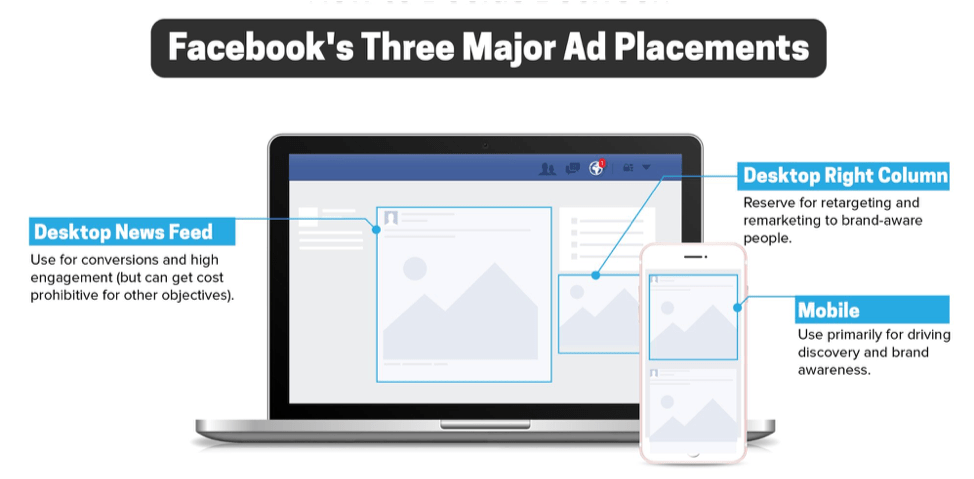
You can then manage your advertisement placements. Ad placements are important to understand because this will allow you to make changes to your ad depending on where they will be shown. Ads can be shown on mobile devices, desktops, or both. Facebook offers an option for automatic placements, which is recommended for new advertisers.
Here comes the fun part: Choosing your ad creative! Your ad creative is based on the objective you’ve established for your campaign. There is a 4-step process in creating your ad:
- Create an ad name.
- Choose a format (single image, video, or carousel).
- Determine the media.
- Formulate a text for your ad (including a website URL and call to action button).
View Your Advertising Data
Now that you have an up-and-running advertisement on Facebook, you must be able to view your data. Facebook ads dashboard is the spot to go when keeping up to date on all your advertisements. This will show you all your ads and their status, allowing you to make any necessary changes to improve them. The dashboard has four tabs that enable you to view your account overview, campaigns, ad sets, and ads. Your account overview allows you to look over your:
- Reach: the total number of people who see an ad.
- Amount Spent: the cost you put into your advertisement.
- Impression: how many times your ad is served or shown to “x” amount of people.
- Link Click: total number of click actions on your ad (Adams, 2019).
Advertising reports are essential in understanding the performance of your advertising campaign because they provide the details you need to improve your ads and determine if your goals are being reached. You can view your reports in your “Ads Manager” account under the campaign tab. These reports will help you compare your campaigns and help you “understand which metrics best align to your overarching strategy” (Adams, 2019).
One last aspect that is important to your advertising data is your billing summary. Here you can see the amount you’ve spent on your ad campaigns. For example, you can see how much you’ve spent each day on an ad and your “advertising spend broken out by objective” (Adams, 2019). You can also see all the transactions that have occurred on your advertising account, which allow you to see how much you were billed if it was paid or not and the payment method.
Implement Best Practices

There are three key practices to implement in your ad campaigns to make them “more powerful and connect with your targeted audience” (Adams, 2019). First, ensure you have a clear call to action. This will let your audience know what action you want them to take whether it be a purchase or to visit a website! The second key practice is to have “simple, eye-catching images” (Adams, 2019) that are relevant to your ad. Ensure that they are high-quality and directly relate to what you’re advertising. It’s important to test different images to see which one resonates with your audience best. The last key practice to implement is to have another person look at your ad. This will give you a different point-of-view and will be able to understand how other people view and understand your ad campaign.
There are also many other ways to improve the performance of your advertisements. Ensure that you create different ad sets to target different people. For example, you wouldn’t create an advertisement about skiing and target it to people who don’t have an interest in skiing. It is also crucial that you create a landing page for your audience. This is a URL that people can click after they view your ad. Ensure that it is relevant to the information they are looking for and make sure it is easy for them to navigate.
The most important takeaway from this is to never stop creating ad campaigns and trying new things. The more you run ads, the more information you will accumulate, which will help you perfect your campaigns suited for your targeted audience.
My Conclusion
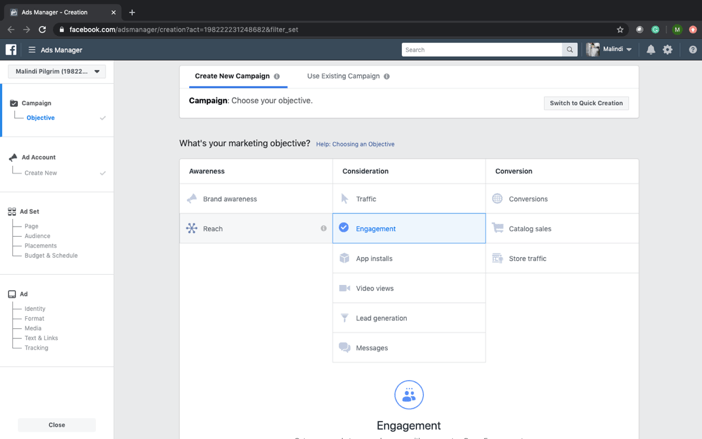
Here is a screenshot of my advertising account that I created. This is a screenshot of the first step in creating an ad: determining an objective. I chose “consideration” and wanted “engagement” for my ad. For example, I want engagement on my new blog that I’ve made for this class. I would target young adults between the ages of 18-27 in Edmonton who are currently university students. I would ensure to include an image of my blog, create a clear and honest message for my audience, and include a call to action. Here I would provide a link to my website which will bring them directly to my blog page where they can subscribe to my blog and like what I’ve posted.
Advertisements are powerful ways to connect with your target audience, and I’ve explained a lot about what they are and how to create them. I can create Facebook ads, and now you can, too!
References
Adams, M. (2019, October 2). Advertising on Facebook. Retrieved from LinkedIn Learning: https://www.linkedin.com/learning/advertising-on-facebook-2/introduction-to-facebook-ads?u=2109516
Pictures from Google.
Pictures from Haute Stock.
 Malindi Pilgrim